Hide “You May Also Like” Product Page [Dawn Theme] in shopify

To hide the “You May Also Like” section on a Shopify product page using the Dawn theme, you can follow these steps:
- From your Shopify admin panel, go to “Online Store” and then “Themes”.
- Find the Dawn theme and click on “Actions” > “Edit code”.
- In the left-hand sidebar, click on “Sections” and then open the “product-template.liquid” file.
- Scroll down to find the following code:
{% section 'product-recommendations' %}
- Comment out this line of code by adding
{% comment %}before it and{% endcomment %}after it:
{% comment %}{% section 'product-recommendations' %}{% endcomment %}
- Click on “Save” and then “Close” to exit the code editor.
After these steps, the “You May Also Like” section should be hidden from your product pages in the Dawn theme. If you want to show it again in the future, simply remove the {% comment %} and {% endcomment %} tags that you added in step 5.
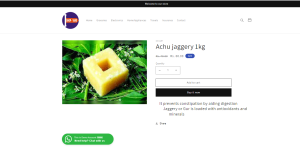
Now we don’t get Products You may also like:
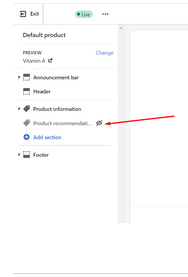
Also you can do it by going to the settings in the product page and disabling the recommendations, This option does not require the coding changes
Hope this helps!!!