
Category: Android
Android related blogs
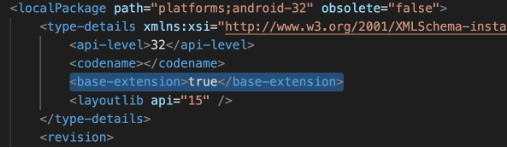
cvc-complex-type.2.4.a: Invalid content was found starting with element ‘base-extension’. One of ‘{layoutlib}’ is expected Error in Android
- 0

We were facing this issue many times when we download project from github. We are using new Android studio. Error was: cvc-complex-type.2.4.a: Invalid content was found starting with element ‘base-extension’. One of ‘{layoutlib}’ is expected. This is not the gradle issue. When we search this over internet, we get lot of answers as it’s a gradle…
Read More
cvc-complex-type.2.4.a: Invalid content was found starting with element ‘base-extension’. One of ‘{layoutlib}’ is expected Error in Android
- 0

We were facing this issue many times when we download project from github. We are using new Android studio. Error was: cvc-complex-type.2.4.a: Invalid content was found starting with element ‘base-extension’. One of ‘{layoutlib}’ is expected. This is not the gradle issue. When we search this over internet, we get lot of answers as it’s a gradle…
Read More How to set default value to spinner dropdown in Android?
- 0
In Android, if you want to set a default value for a `Spinner` dropdown, you can achieve this by adding the default value to the adapter and selecting it programmatically. Here’s an example: import android.os.Bundle; import android.view.View; import android.widget.AdapterView; import android.widget.ArrayAdapter; import android.widget.Spinner; import androidx.appcompat.app.AppCompatActivity; import java.util.ArrayList; import java.util.List; public class MainActivity extends…
Read MoreHow to set default value to spinner dropdown in Android?
- 0
In Android, if you want to set a default value for a `Spinner` dropdown, you can achieve this by adding the default value to the adapter and selecting it programmatically. Here’s an example: import android.os.Bundle; import android.view.View; import android.widget.AdapterView; import android.widget.ArrayAdapter; import android.widget.Spinner; import androidx.appcompat.app.AppCompatActivity; import java.util.ArrayList; import java.util.List; public class MainActivity extends AppCompatActivity {…
Read More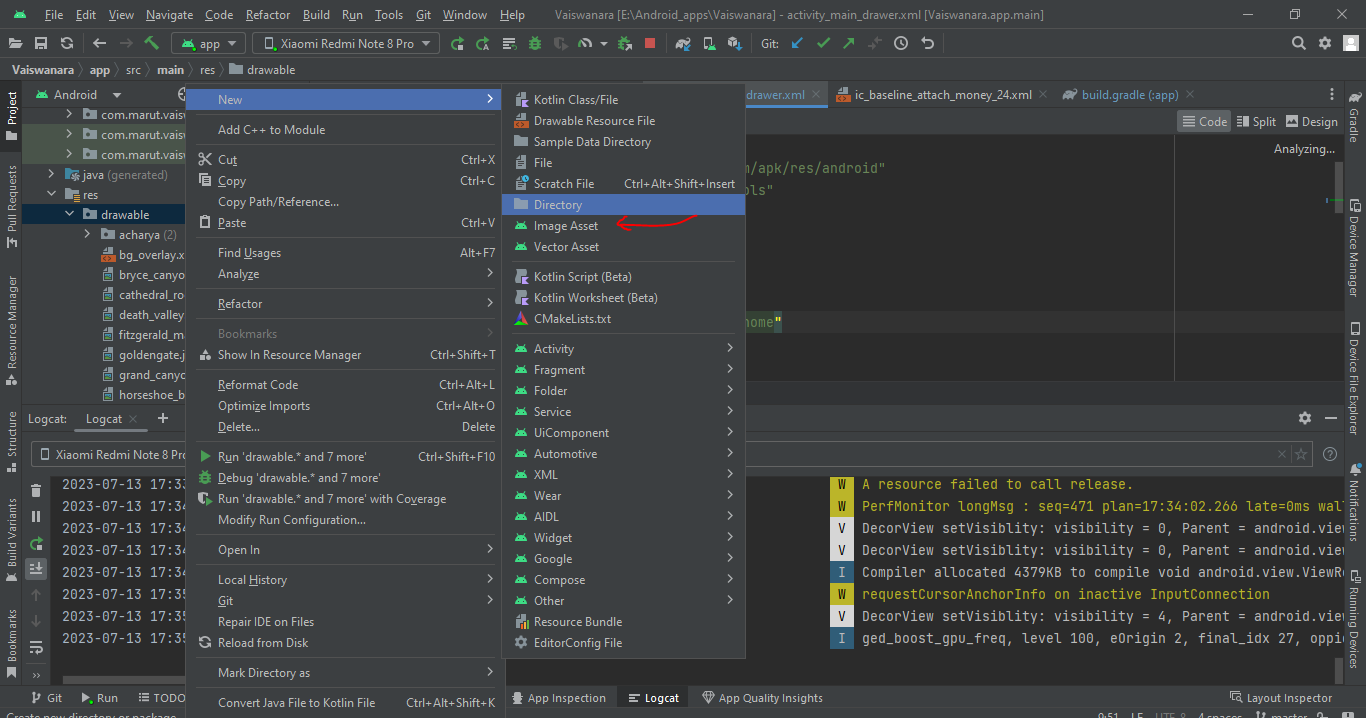
How to add drawable resources to an existing Android Studio project
- 0
To add a drawable resource to an existing Android Studio project, you can follow these steps: Open your Android Studio project. In the Project Explorer pane on the left side, navigate to the res folder. Right-click on the res folder and select “New” -> “Android Resource Directory”. In the “Resource type” dropdown, select “drawable”. Click…
Read MoreHow to add drawable resources to an existing Android Studio project
- 0
To add a drawable resource to an existing Android Studio project, you can follow these steps: Open your Android Studio project. In the Project Explorer pane on the left side, navigate to the res folder. Right-click on the res folder and select “New” -> “Android Resource Directory”. In the “Resource type” dropdown, select “drawable”. Click…
Read More