
Author: Gurubheemacharya Karjol
Laravel JWT AUTH only returns TRUE/FALSE instead of the token
- 0

When using Laravel JWT authentication, the default behavior is to return a boolean (`true` or `false`) indicating whether the authentication was successful or not. If you want to receive the token upon successful authentication, you might need to customize the authentication response. Here’s how you can modify Laravel to return the token upon successful authentication…
Read MoreHow to set default value to spinner dropdown in Android?
- 0
In Android, if you want to set a default value for a `Spinner` dropdown, you can achieve this by adding the default value to the adapter and selecting it programmatically. Here’s an example: import android.os.Bundle; import android.view.View; import android.widget.AdapterView; import android.widget.ArrayAdapter; import android.widget.Spinner; import androidx.appcompat.app.AppCompatActivity; import java.util.ArrayList; import java.util.List; public class MainActivity extends AppCompatActivity {…
Read More
Laravel artisan migrate PHP Fatal error: Cannot declare class, because the name is already in use : Solution
- 0
When I was trying to migrate a database in Laravel Project using the ‘php artisan migrate‘, I get the below error: php artisan migrate Migration table created successfully. PHP Fatal error: Cannot declare class CreatePasswordResetsTable, because the name is already in use in F:Projectsdatabasemigrations2023_11_28_102415_create_password_resets_table.php on line 7 7 [SymfonyComponentDebugExceptionFatalErrorException] Cannot declare class CreatePasswordResetsTable, because…
Read MoreHow to get the table name with a required column name in MySQL using query
- 0
While working on a project we had a big database which contains more than 250 tables. I wanted to get the table name containing a column say “Column A”. We can do it easily with a query. Say now we have a database called as “Test_Database” with lot of tables and columns. Now I want…
Read More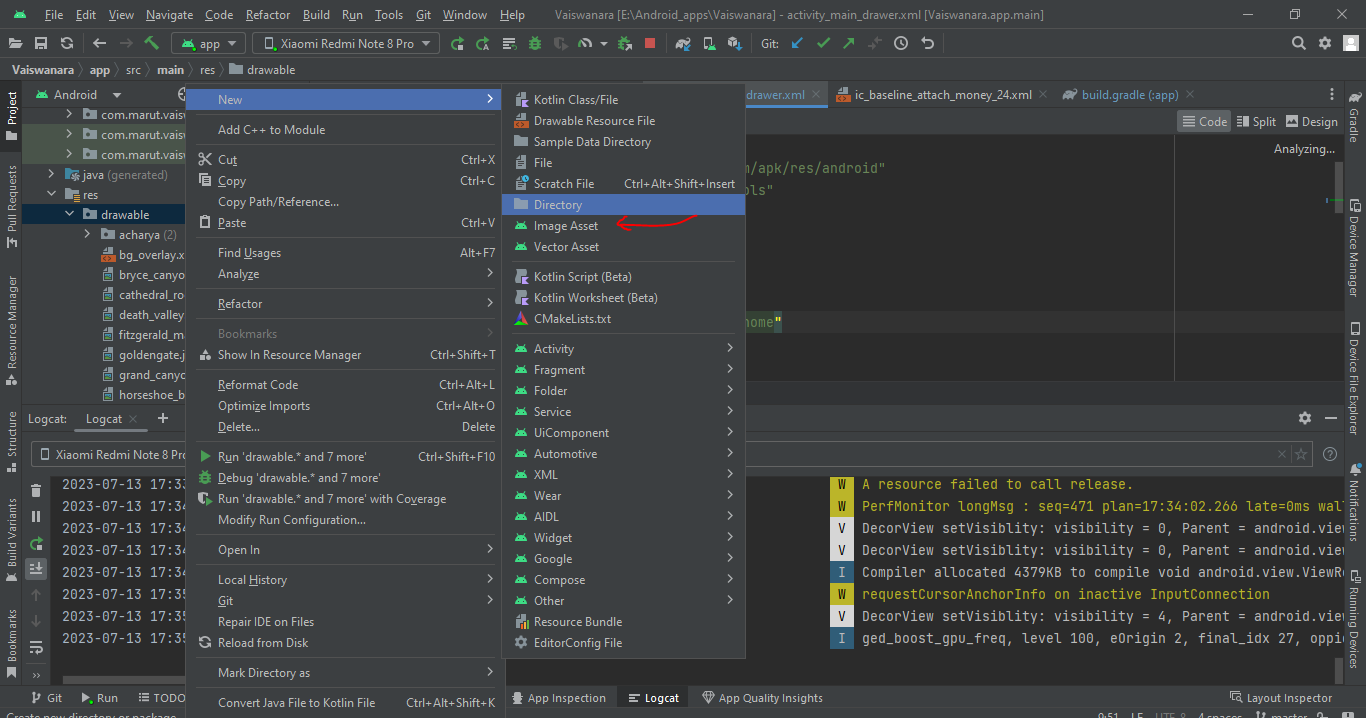
How to add drawable resources to an existing Android Studio project
- 0
To add a drawable resource to an existing Android Studio project, you can follow these steps: Open your Android Studio project. In the Project Explorer pane on the left side, navigate to the res folder. Right-click on the res folder and select “New” -> “Android Resource Directory”. In the “Resource type” dropdown, select “drawable”. Click…
Read MoreHybrid app development for Android and IOS
- 0
There are several popular platforms available for developing hybrid apps for Android and iOS. The choice of the best platform depends on various factors such as your familiarity with programming languages, the complexity of your app, performance requirements, and the specific features you need. Here are three widely used platforms for hybrid app development:…
Read More