
Category: Android
Android related blogs
How to Change Version Code and Version Name in Flutter
- 0

We released a flutter application on the Play Store, and now I want to submit a new version of the application. We are attempting to alter the version number using the below command in Visual Studio Code: flutter build apk –build-name=1.3.0 –build-number=3 or alterring the local.properties like this (through Android Studio or Visual Studio Code)…
Read More
How to Use Git in Android Studio
- 0

In this blog, you will learn how to use Git in Android Studio. Firstly, you will learn the basic concept of Git and then create a new project using Git. Next, you will learn how to clone and fork a repository. Next up, you will see how to push your changes online using Github. Also…
Read More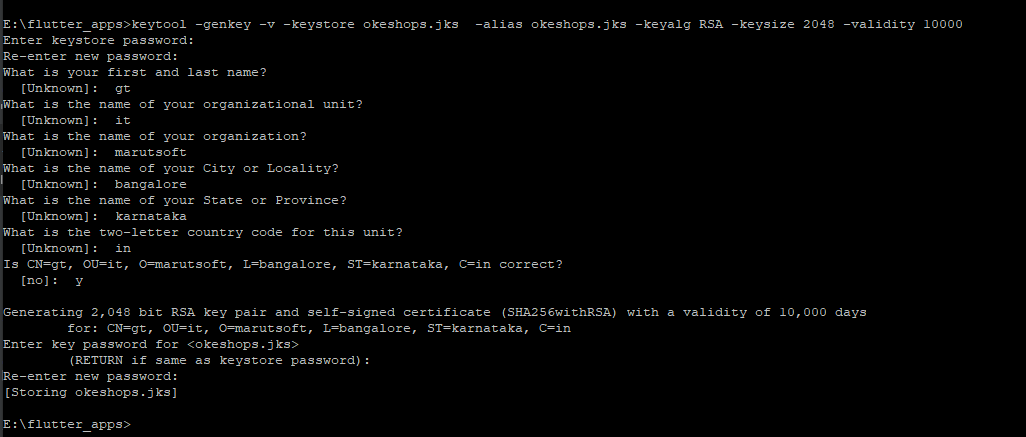
How to create a keystore for signed apk in android and flutter
- 0
You must add a digital signature to your software in order to share it on the Play Market. Follow these steps to submit your application. Deployment and upload are the two types of authentication credentials available on Android. The.apk file authenticated with the “deployment key” is downloaded by the end consumers. The.aab/.apk files that developers…
Read More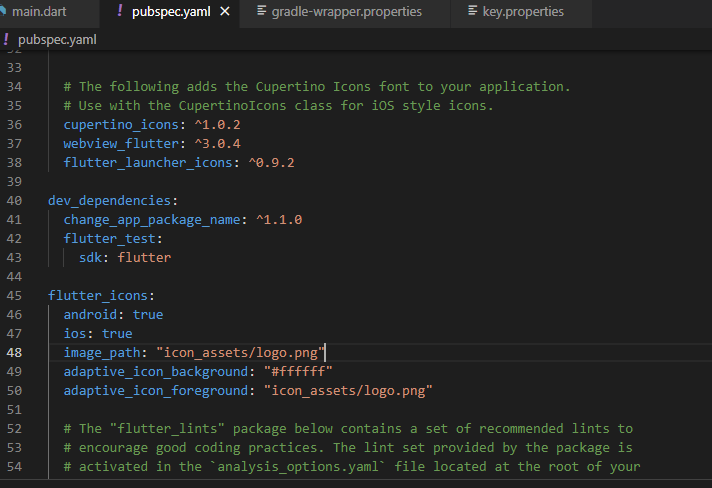
How to change package name in flutter
- 0
In some cases, for the android application it may be required to change the package name of the application. It’s very easy to do it in Android studio. But when we are using flutter to develop the hybrid application, it is required to use some packages to do this job for us. To achieve this…
Read MoreHow to create your own Android Library and publish it
- 0
We’ll build and publish our own Android Library in this tutorial. You can use the library in all of your upcoming projects by releasing it. Additionally, other people can utilize the library for their projects. Therefore, let’s begin: Creating The Android Library Open Android Studio and create a new project. Give the name “HttpConnection”…
Read More
Playing a YouTube video in the Android application
- 0
We want to play Youtube video by streaming it directly from YouTube without downloading. Also, while playing videos, I want provide menu options. I don’t want to play video using default intent. How can we do this? There are multiple ways to play the youtube video in your android application. One of the easiest way is…
Read More