
Category: PHP-MYSQL TIPS
How to import an SQL file using the command line in MySQL
- 0

When I was working with MySql command prompt, I was wondering how to import an available sql file into the available database. First you need to open the MySql Command prompt. And select the database. Here “smartcart” is the database. Now I select that database using “use” command as below: mysql> use smartcart; Database changed…
Read More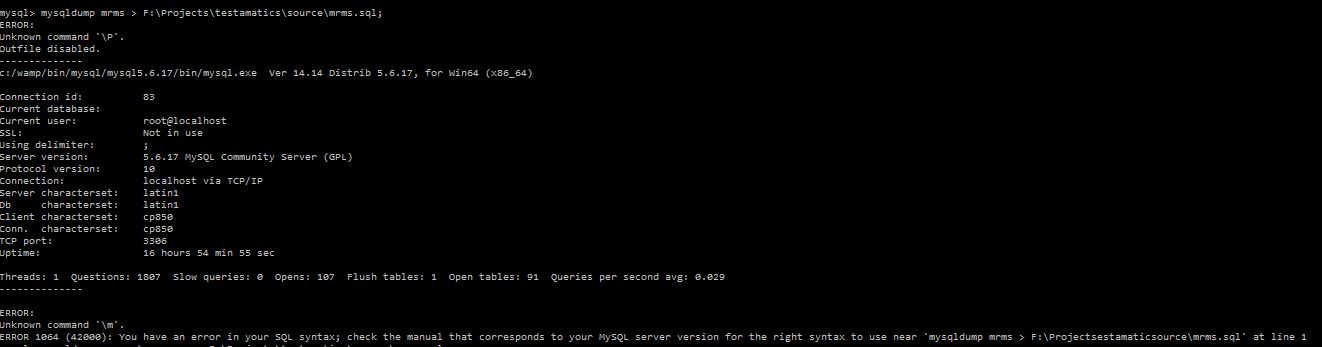
How disable the “Help” Menu in Joomla administrator
- 0
The default installation of Joomla comes with a “Help” menu. It has the links to important Joomla resources. We were using Joomla as a cms for one of the web tool we were developing for our client. In that tool, there were three levels of users were there. 1.…
Read More How to access IIS hosted site from another PC
- 0
I was working on a Intranet project for one of my client. Earlier It had to be developed with Apache web server. But later they wanted it to be developed with IIS (Internet Information Service) server. So we wanted the site i.e web application to be accessed by other PCs on the local network which’s…
Read More How to export a mysql database using Command Prompt
- 0
Some how my PhpmyAdmin stopped working And I had to take up a back up of one of my databases. So that time, I thought of using the Mysql Command prompt service. To take the back up, we can export the tables and contents of the database using mysqldump. Please note that mysqldump is not…
Read More PHP And MySQL configuration with IIS Server
- 0
This blog describes the installation and Configuration of PHP, MYSQL and IIS (Internet Information Services) server for running the web applications. IIS Installation: Internet Information Services is a web server from Microsoft. Recently they are supporting to host PHP and MySql applications also. Here we cannot install all together in a single package as WAMP. We…
Read MoreHow to add a Music Player in the Blogspot
- 0

While composing the blog, you can write the content of the blog normally. Then place your cursor where you want to add the audio player. Then use any of the below methods : 1. Using Basic HTML5 Tags: The <audio> tag is a new feature of HTML5 which we can use to natively embed audio…
Read More